wireguard-tools 1.0.20260223⚓︎
- Homepage: https://www.wireguard.com/
- Manpage: https://www.wireguard.com/quickstart/
- Changelog: https://git.zx2c4.com/wireguard-tools/log/
- Repository: https://git.zx2c4.com/wireguard-tools/
- Package: master/make/pkgs/wireguard/
- Steward: @fda77
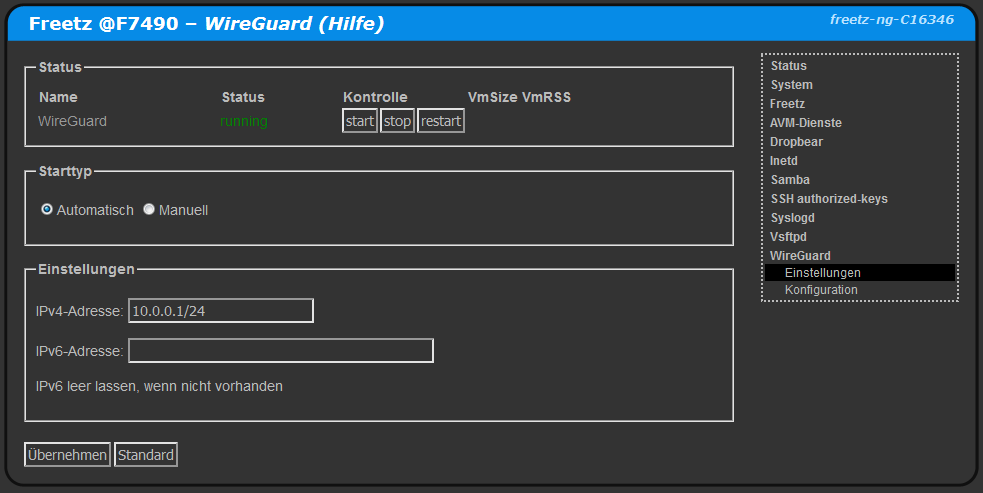
Wireguard can be used to set up a VPN. It is faster than OpenVPN and easier to configure than IPsec.
Notes⚓︎
- A Wireguard client on the Fritzbox cannot be used as the default gateway; see ip-phone-forum.de/threads/304914/.
- If the Wireguard server is not the router, a route to the Wireguard IP range must be configured on the router.
- To use AVM VoIP over Wireguard, the interface name must be changed to "tun0".
Throughput⚓︎
Experience values with different hardware.
|  Client  |     Server     |    Download    |     Upload    | Source  |
| -------- | -------------- | -------------- | ------------- | ------- |
| Computer | Raspberry PI 4 | min 100 MBit/s | min 45 MBit/s | cuma    |
| Computer | Fritz!Box 7590 | min  85 MBit/s | min 40 MBit/s | cuma    |
| Computer | Fritz!Box 7490 | max  35 MBit/s | min 45 MBit/s | cuma    |
| Computer | Fritz!Box 7520 | ca   35 MBit/s | ca  35 MBit/s | wall007 |
Creating a Configuration for a Wireguard Server on the Fritzbox with a PC⚓︎
The PresharedKey lines or psk files are optional and can be removed.
The port may need to be opened in the firewall, for example with AVM-portfw.
Installing Required Programs⚓︎
On Ubuntu, the package manager is called apt-get.
MTU⚓︎
The MTU should be set to the same value for server and clients. The lines are optional.
Possible values range from 1280 to 1420 bytes. 1280 is a "safe" choice; higher values
are better but can cause problems depending on the network and internet connection.
Variable Definition⚓︎
These variables are used below and should be adjusted.
NUMCLIENTS="9"
HOSTNAME="mein.dyndns.host"
UDPPORT="51820"
IPBEREICH="10.0.0.1/24"
DNSSERVER="192.168.178.1"
MTUBYTES="1280"
Creating Key Files⚓︎
The key files *.prv, *.psk, and *.pub are generated. They are used to create the configuration files.
for x in SRV $(seq -f "CL%g" $NUMCLIENTS); do
touch           $x.prv   $x.psk     $x.pub
chmod 640       $x.prv   $x.psk     $x.pub
wg genkey | tee $x.prv | wg pubkey >$x.pub
wg genpsk >              $x.psk
[ "$x" == "SRV" ] && rm  $x.psk
done
Creating the Server Configuration⚓︎
The server configuration is created in SRV.conf, which can be inserted on the Fritzbox.
touch      SRV.conf
chmod 640  SRV.conf
cat >  SRV.conf << EOX
[Interface]
ListenPort   = $UDPPORT
PrivateKey   = $(cat SRV.prv)
MTU          = $MTUBYTES

EOX
for x in $(seq -f "CL%g" $NUMCLIENTS); do
cat >> SRV.conf << EOX
[Peer]
PublicKey    = $(cat $x.pub)
PresharedKey = $(cat $x.psk)
AllowedIPs   = ${IPBEREICH%.*}.1${x#CL}/32

EOX
done
Creating Client Configurations⚓︎
The client configurations are created in CL*.conf.
The QR codes for scanning with an app are located in CL*.txt and CL*.png.
for x in $(seq -f "CL%g" $NUMCLIENTS); do
cat > $x.conf << EOX
[Interface]
Address             = ${IPBEREICH%.*}.1${x#CL}/32
DNS                 = $DNSSERVER
PrivateKey          = $(cat $x.prv)
MTU                 = $MTUBYTES

[Peer]
Endpoint            = $HOSTNAME:$UDPPORT
PublicKey           = $(cat SRV.pub)
PresharedKey        = $(cat $x.psk)
AllowedIPs          = 0.0.0.0/0
PersistentKeepalive = 90

EOX
cat $x.conf | qrencode -t ansiutf8 > $x.txt
cat $x.conf | qrencode -t png     -o $x.png
done