Save Users Permanently in passwd⚓︎
Description (Freetz-1.2.x)⚓︎
Users can be created with the BusyBox applet
adduser
created. As an example, create a user named freetzuser. It is assigned
to group users. Its home directory should be /var/media/ftp. If the
user should be able to log in to the box via Telnet/SSH, assign a login
shell with -s /bin/sh. The -g parameter, the GECOS field, is a user
description.
This field must not be set to box user or ftp user, otherwise the
user is lost on restart.
Afterwards, set a password for the user:
    root@fritz:/var/mod/root# adduser freetzuser -G users -h "/var/media/ftp" -g "freetzuser"
    Changing password for freetzuser
    New password:
    Retype password:
    Password for freetzuser changed by root
Repeat this procedure for each additional user. After creating the desired
users, save the changes so they survive a reboot:
Check the users like this:
    root@fritz:/var/mod/root# cat /etc/passwd
    root:x:0:0:root:/mod/root:/bin/sh
    nobody:x:100:1000:nobody:/home/nobody:/bin/false
    ftpuser:any:1001:0:ftp user:/var/media/ftp:/bin/sh
    freetzuser:x:1002:100:freetzuser:/var/media/ftp:/bin/sh
Description (Freetz-1.1.x)⚓︎
Create a User.sh file on the USB drive and load it at system startup
through rc.custom, for example /var/media/ftp/uStor01/user.sh.
Original How-To Posts⚓︎
1.) Original post from IPPF\
2.) Original post from IPPF\
Procedure⚓︎
1.) Save the following text as User.sh on your PC:\
    cat > /var/tmp/passwd << 'EOF'
    root:x:0:0:root:/mod/root:/bin/sh
    ftpuser:any:1000:0:ftp user:/var/media/ftp:/bin/sh
    ftp:x:1:1:FTP account:/home/ftp:/bin/sh
    User1:x:1001:1001:Linux User,,,:/var/media/ftp/uStor01/User1:/bin/sh
    User2:x:1002:1002:Linux User,,,:/var/media/ftp/uStor01/User2:/bin/sh
    User3:x:1003:1003:Linux User,,,:/var/media/ftp/uStor01/User3:/bin/sh
    EOF
    chmod 644 /var/tmp/passwd
2.) Open the box's passwd file in the Rudi shell menu with cat /var/tmp/passwd:\
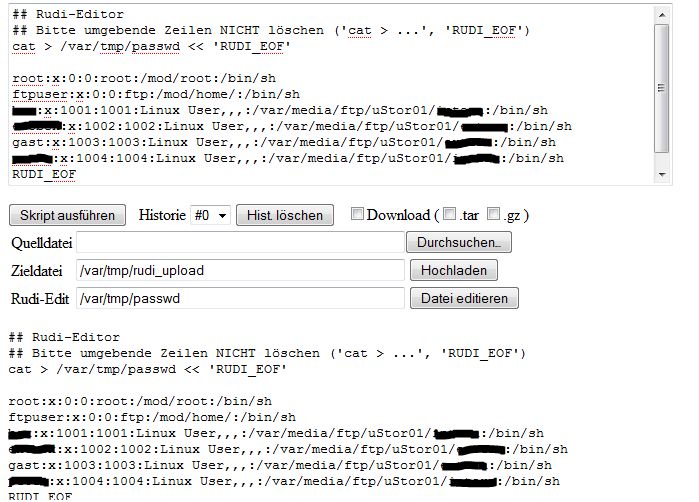
3.) Open User.sh and replace User1 through User3 with your entries
from the Rudi shell; copy and paste is enough.
4.) Save the file and copy it to the USB storage device.\
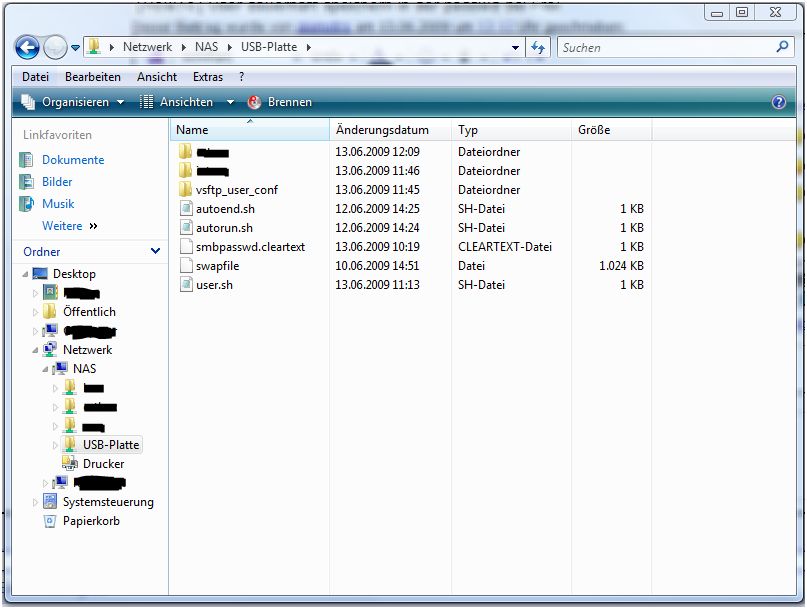
5.) Create the following entry in rc.custom; adjust path and filename as needed:\
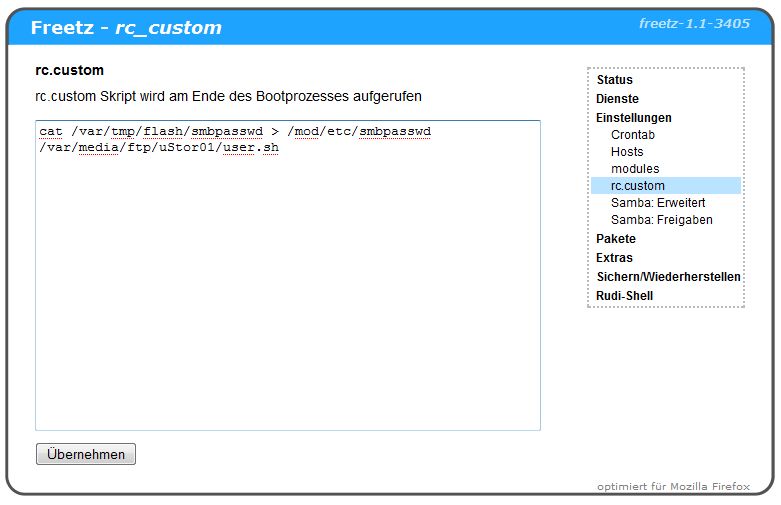
6.) Save the entry with Apply and restart the FRITZ!Box.\
If everything was done correctly and this how-to did not miss anything,
the users should now remain in passwd.
Alternative⚓︎
The entries from step 1 can also be written directly into rc.custom.
In that case, users and passwords must of course be adjusted as well.
 \
\