Stunnel 5.80⚓︎
- Homepage: https://www.stunnel.org/
- Manpage: https://www.stunnel.org/static/stunnel.html
- Changelog: https://www.stunnel.org/NEWS.html
- Repository: https://github.com/mtrojnar/stunnel
- Package: master/make/pkgs/stunnel/
- Steward: @fda77
"Stunnel is a program that allows you to encrypt arbitrary TCP
connections inside SSL (Secure Sockets Layer) available on both Unix and
Windows. Stunnel can allow you to secure non-SSL aware daemons and
protocols (like POP, IMAP, LDAP, etc) by having Stunnel provide the
encryption, requiring no changes to the daemon's code. "
http://www.stunnel.org/
Stunnel can be understood as a "secure tunnel". Behind the term is
the ability to encrypt arbitrary TCP connections with SSL, even and
especially when the application itself does not support this, thereby
spoiling sniffing for the "man in the middle". Numerous good usage
examples can be found on the Stunnel
homepage.
Configuration⚓︎
-
Generate the keys on the PC (under Linux):
openssl genrsa 1024 > host.key openssl req -new -x509 -nodes -sha1 -days 365 -key host.key > host.cert -
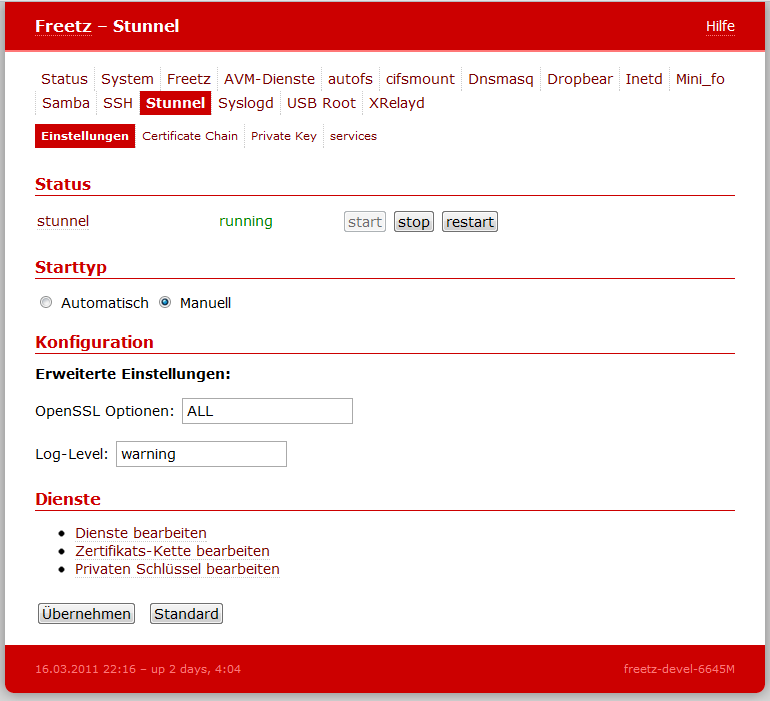
Paste the certificate and key into the web interface under Settings ->
Stunnel: "Certificate Chain" (host.cert) and "Private Key" (host.key). -
Add the desired services.
Specifying the path to the certificate and key is optional. Without an
explicit setting, the certificate/tmp/flash/stunnel/certs.pemand
the key/tmp/flash/stunnel/key.pem, which are managed by the web
interface (step 2), are used.
For example:
[freetz https Web-Interface] client = no cert = /tmp/flash/stunnel/certs.pem key = /tmp/flash/stunnel/key.pem accept = 4433 connect = 81 -
Access internally via
https://fritz.box:4433.
For external access, a port forward still has to be entered.
Advanced⚓︎
The Freetz default settings can be disabled with the line #EXCLUSIVE#.
This makes it possible to set global options outside [<section>].
For example:
   #EXCLUSIVE#

   TIMEOUTclose = 0
   verifyChain = yes
   CAfile = /tmp/flash/stunnel/certs.pem
   cert = /tmp/flash/stunnel/key.pem
   options = SINGLE_ECDH_USE
   options = SINGLE_DH_USE

   [freetz https Web-Interface]
   accept = 4433
   connect = 81

   [avm https Web-Interface]
   accept = 4434
   connect = 80