RRDstats for RRDtool⚓︎
- Package: master/make/pkgs/rrdstats/
- Steward: @fda77
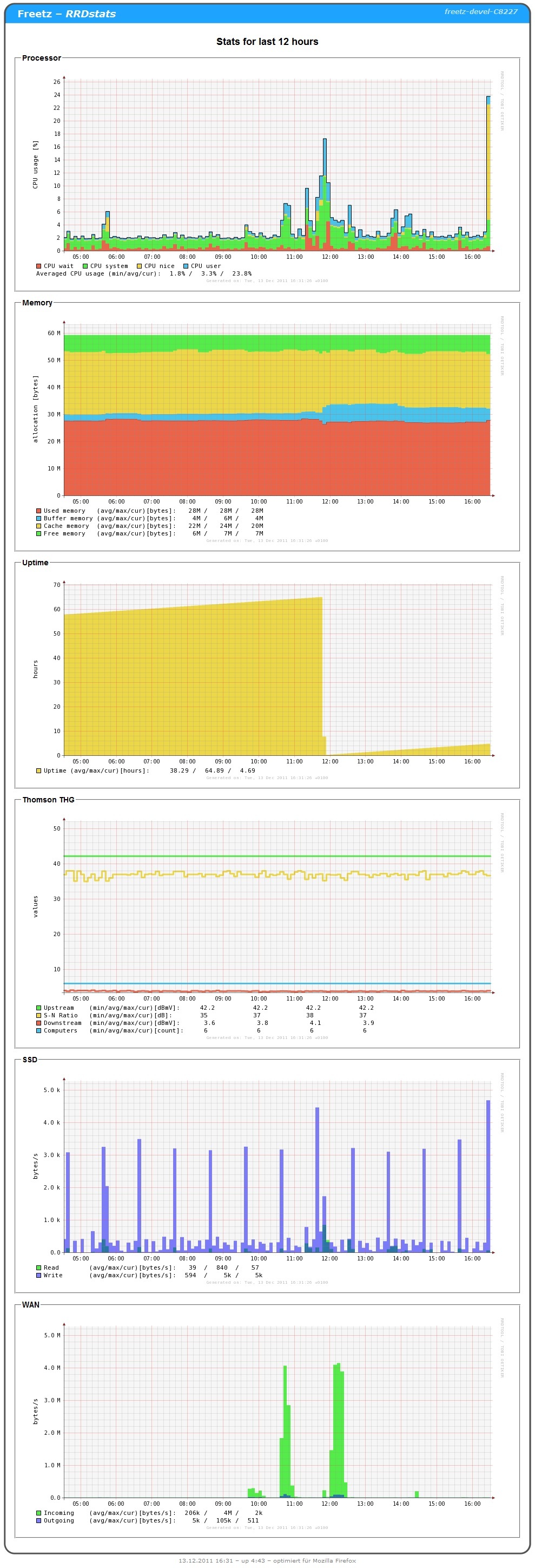
Introduction⚓︎
RRD stands for Round Robin Database and was developed for Linux and
Windows under the GNU license by Tobias Oetiker. It is a very powerful
tool for storing time-related measurement data such as temperature, disk
usage, and network traffic compactly in a database and visualizing it in
an appealing way. More details can be found here in the wiki under the
RRDtool package. To display the data graphically later,
rrdstats is used; that is what this page covers in detail. The
DigiTemp package is required for recording temperature
values.
Requirements and Adding RRDstats During Firmware Build⚓︎
In menuconfig:
- Package selection / Web interface / RRDstats for RRDtool
[automatically also selects RRDtool 1.2.30 under "Package selection /
Testing"] - only for DigiTemp: Package selection / Testing / digitemp 3.0.6 /
digitemp for ds9097 [the other two options did not work for ao]. I
(cuma) use "ds2490" with the "DS9490R". No additional modules are
needed for this. - only for DigiTemp: Advanced options / Kernel modules / drivers /
pl2303.ko [I additionally selected ftdi_sio.ko for another adapter] - only for cable modem: optionally install the "wget" package. This
avoids failures when the cable modem cannot be reached, but it is
about 350 kB in size.
On the box:
- only for DigiTemp: in the Freetz WebGUI under "Settings /
Freetz:modules", enter the kernel module or modules one below the
other, but without "modprobe" or similar.
- make further settings in the Freetz WebIF under "RRDstats"
Backup⚓︎
Adjusting the paths is useful if regular backups of the measurement data
should be made, for example:
... and in the Freetz WebGUI, enable automatic restore of backups at
startup in the RRDstats settings.
If backups are now performed regularly using a cronjob, for example every
20-30 minutes, the gaps in the graphs are not too large if box downtimes
are correspondingly short. In the Freetz WebGUI under "Settings / Freetz:
crontab", enter something like:
    00 * * * * /etc/init.d/rc.rrdstats backup
    20 * * * * /etc/init.d/rc.rrdstats backup
    40 * * * * /etc/init.d/rc.rrdstats backup
Please read more about crontab on the internet.
WebGUI Settings⚓︎
"Not lazy" means the graphs are always regenerated, whereas "lazy" means
they are regenerated only when they are outdated. The "lazy" setting (or
disabling "not lazy") reduces CPU load.
Available network interfaces on the box can be determined like this:
ifconfig |grep -v "^ "
- Suppressing the 85 deg C error values affects only the .rrd files, not
the .cvs files.
The other settings should be self-explanatory. If not, please ask in the
forum and add any new findings here.
DigiTemp⚓︎
Initialization is required only once per sensor. Afterwards, the
"RRDstats" service must be started again manually in the Freetz WebIF
under "Services".
Cable Modem⚓︎
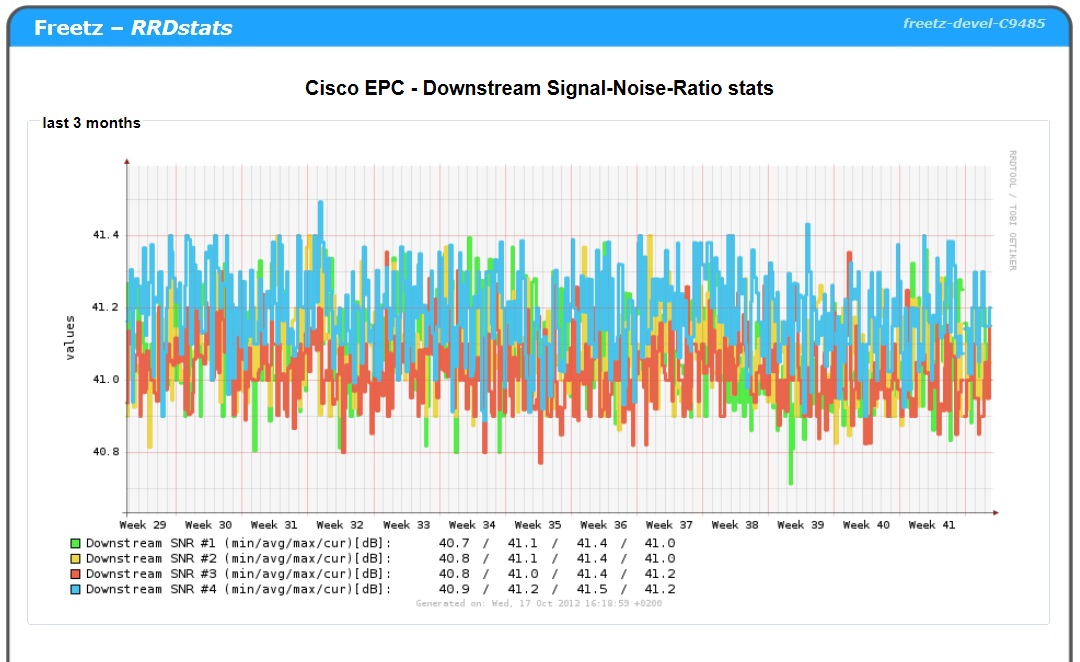
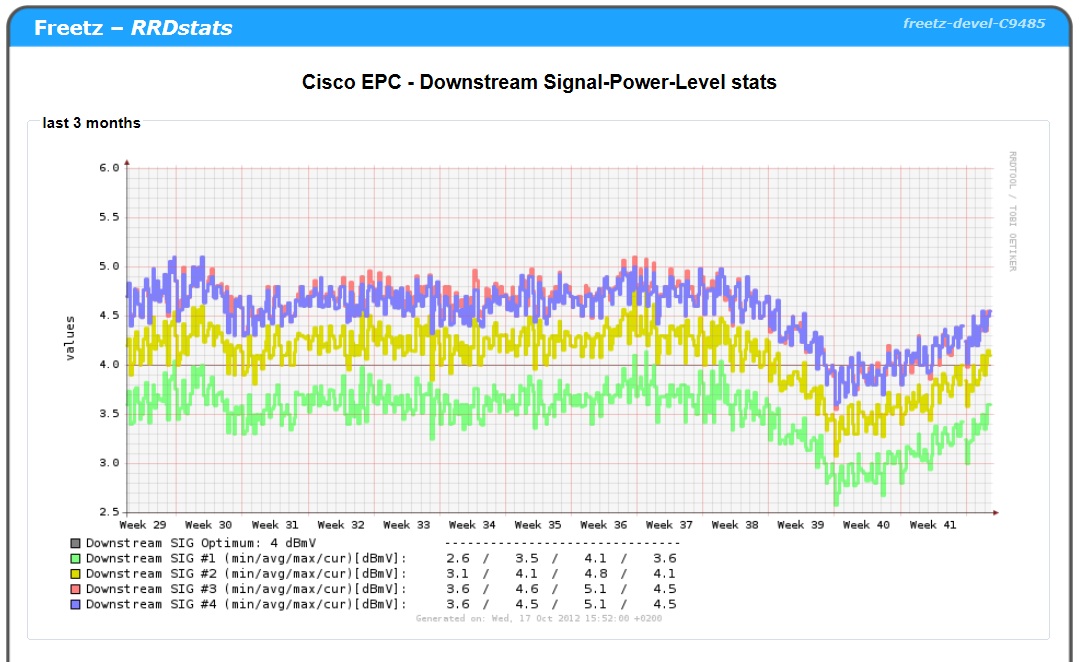
The Thomson THG 520 and 540, Cisco EPC 3212, Arris Touchstone TM, and
identical cable modems are supported.
Logging the Channels⚓︎
If more channels should be logged than were configured when the database
was created, the easiest solution is to delete the epc_*.rrd files.
Reusing already recorded data is more involved, because rrdtool does not
provide a way to add a DS afterwards. To do this:
- Data backup!
- Export the data:
rrdtool dump epc_60.rrd dump.xml - Add DS columns. Here, as an example, expand from 1 upstream channel
to 2:- At the beginning of dump.xml, before the lines
add this
    <name> txfq2 </name>
    <type> GAUGE </type>
    <minimal_heartbeat> 600 </minimal_heartbeat>
    <min> 9.0000000000e+00 </min>
    <max> 9.9000000000e+01 </max>

    <!-- PDP Status -->
    <last_ds> UNKN </last_ds>
    <value> NaN </value>
    <unknown_sec> 25 </unknown_sec>
    </ds>

    <ds>
    <name> txdb2 </name>
    <type> GAUGE </type>
    <minimal_heartbeat> 600 </minimal_heartbeat>
    <min> 0.0000000000e+00 </min>
    <max> 9.9000000000e+01 </max>

    <!-- PDP Status -->
    <last_ds> UNKN </last_ds>
    <value> NaN </value>
    <unknown_sec> 25 </unknown_sec>
    </ds>
2. Add this 12 lines before all `</cdp_prep>` lines
    <ds>
    <primary_value> 0.0000000000e+00 </primary_value>
    <secondary_value> 0.0000000000e+00 </secondary_value>
    <value> NaN </value>
    <unknown_datapoints> 0 </unknown_datapoints>
    </ds>
    <ds>
    <primary_value> 0.0000000000e+00 </primary_value>
    <secondary_value> 0.0000000000e+00 </secondary_value>
    <value> NaN </value>
    <unknown_datapoints> 0 </unknown_datapoints>
    </ds>
3. Now insert `<v> NaN </v> <v> NaN </v>` in all lines ending with
`</row>` between the third-to-last and second-to-last `<v> ... </v>`.
- Create the changed database:
rrdtool restore dump.xml epc_60.rrd -f
Have fun and good luck reproducing it.
:)
Cable Segment⚓︎
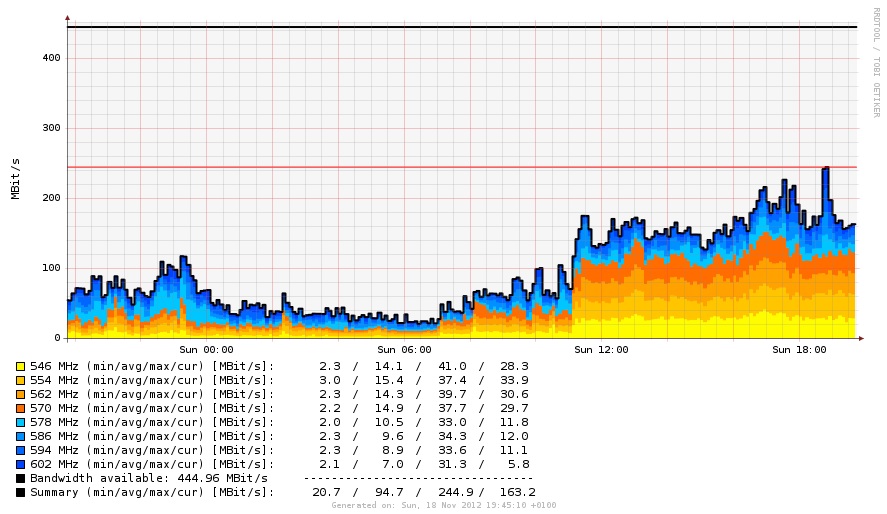
This can record the utilization of a cable internet segment. An
additional driver is required. At the moment there is only a package for
DVB sticks from Sundtek. The advantage is that no v4l is
needed in the kernel.
SmartHome⚓︎
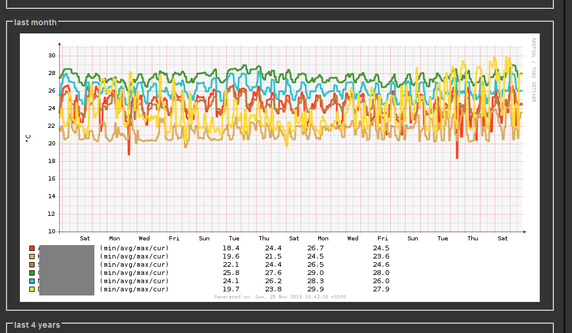
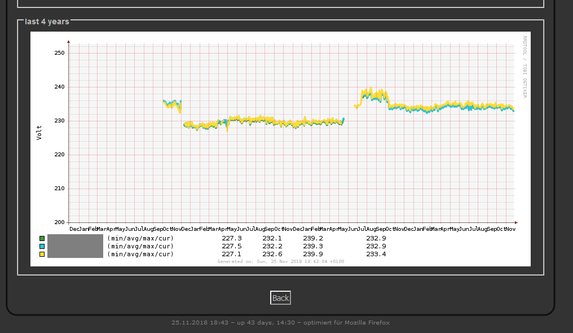
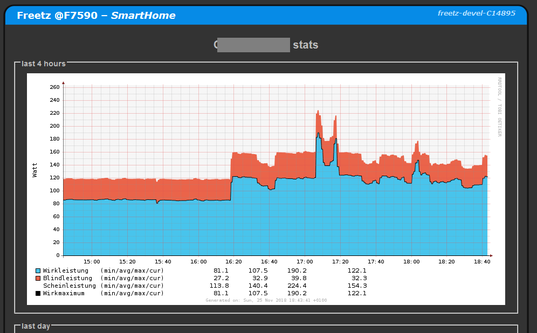
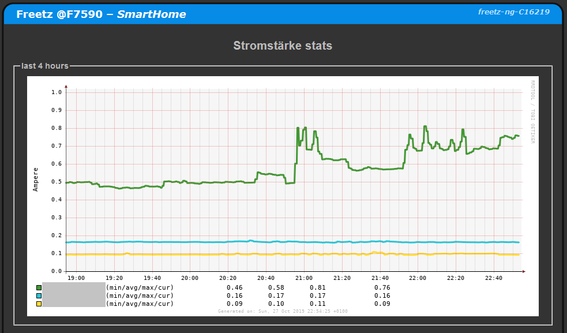
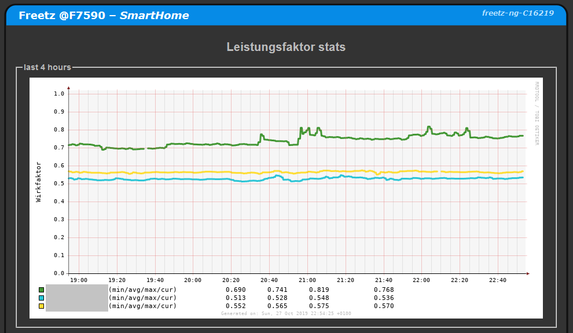
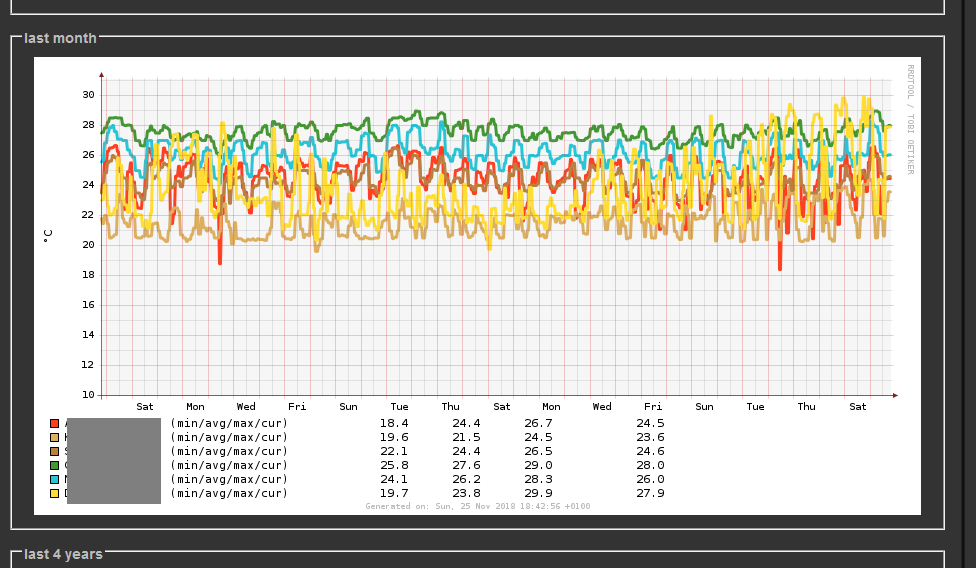
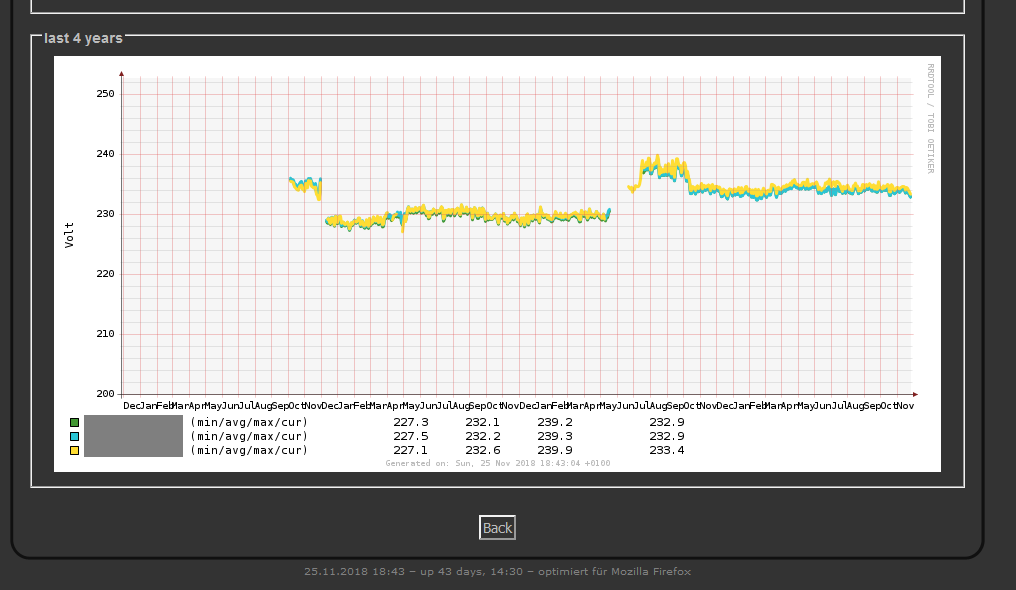
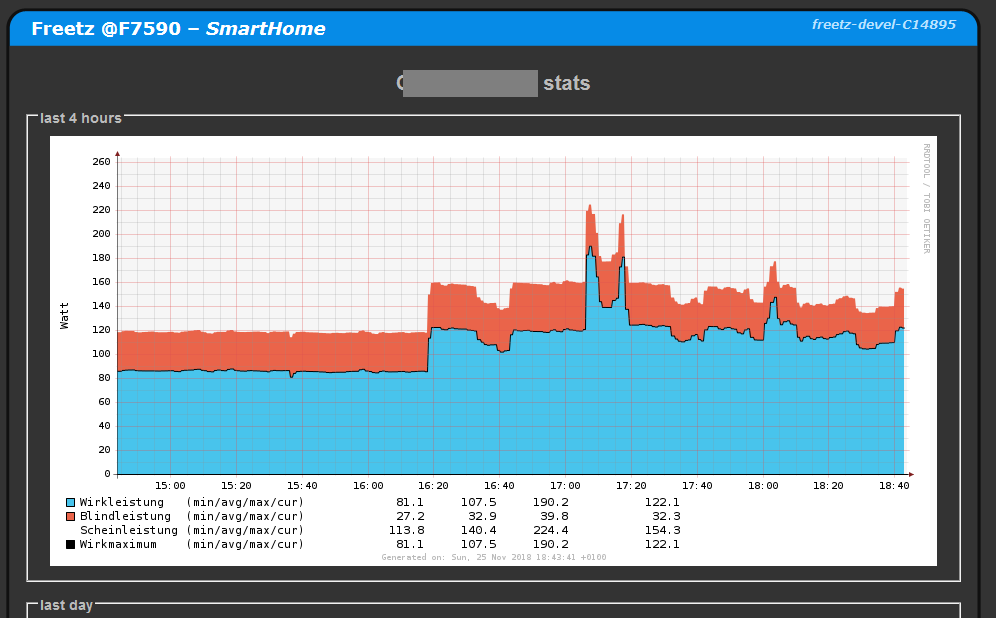
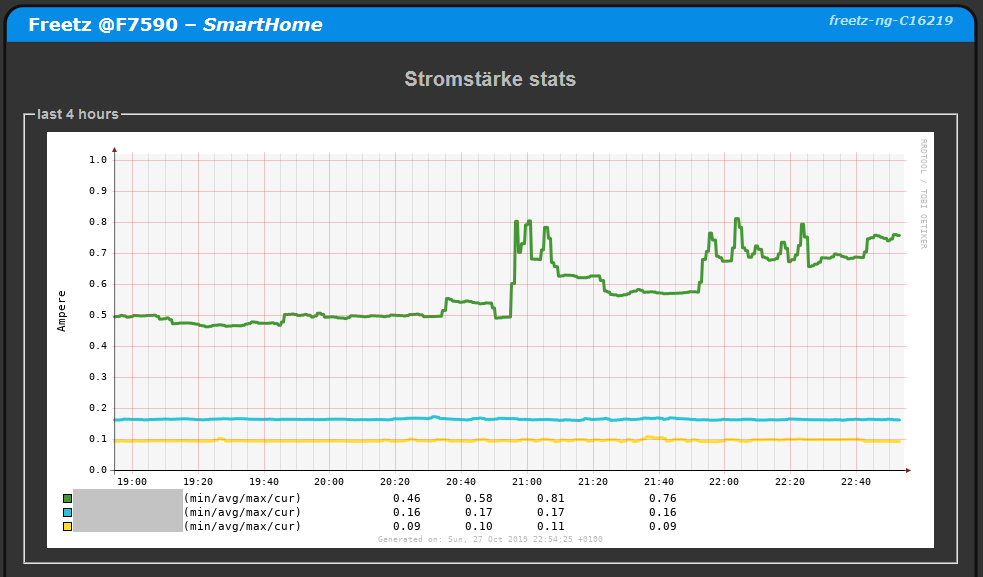
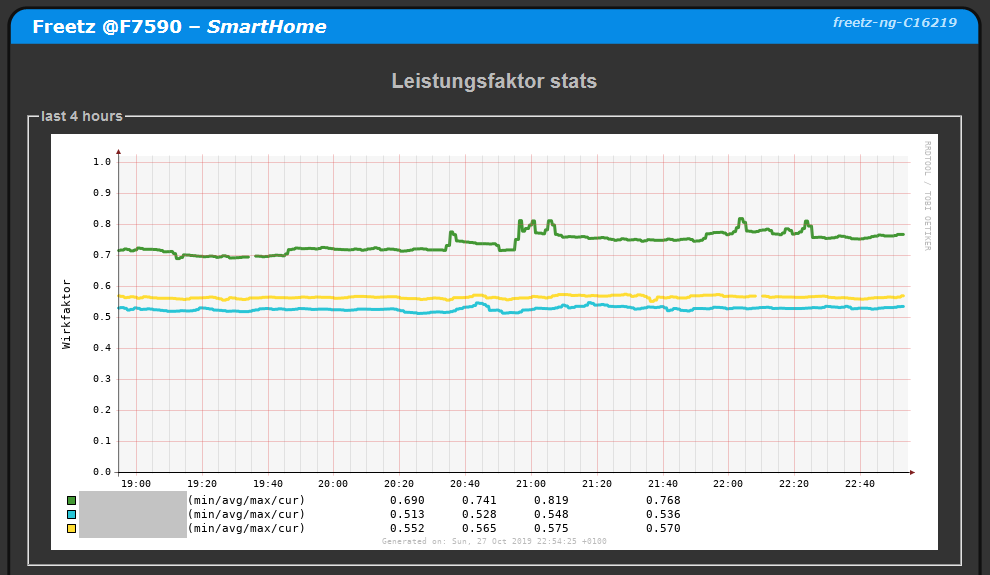
This can record many data points from AVM SmartHome devices. Exactly
which data depends on the device; for example, a radiator controller has
no voltage.\
A password for the AVM web interface (API) is required; this can also be
an additional user.
- Temperature [degrees Celsius]
- Voltage [Volt]
- Power [active power, reactive power, apparent power]
- Current [Ampere]
- Active/power factor [percent/100]
Script aha.sh⚓︎
SmartHome devices are controlled with aha.sh. For example, corresponding
switching times can be configured with aha.sh via cron. Currently,
aha.sh supports only radiator controllers such as Comet DECT,
FRITZ!DECT 300+301+302 and on/off actuators such as the FRITZ!DECT 200,
FRITZ!DECT 210, or FRITZ!Powerline 546E sockets.
Parameters for calling aha.sh
a or alias
Update sha-alias (list of all SmartHome devices), the same as "Update
SmartHome" in the web interface.
f or fancy
Output basic information for all SmartHome devices.
            manufacturer = AVM
             productname = Comet DECT
               fwversion = 03.68
         functionbitmask = 320
                           --- ---- ---1 -1-- ----
                           SRQ PONM LKJI HGFE DCBA
              identifier = 11111 0112314
                      id = 20
                    name = Heating A
                 present = 1
                    lock = 0
              devicelock = 0
                 celsius = 270
                  offset = 0
                    tist = 54
                   tsoll = 253
                  absenk = 32
                 komfort = 44
         windowopenactiv = 0
                 battery = 80
              batterylow = 0

...

                           SRQ PONM LKJI HGFE DCBA
                           ||| |||| |||| |||| ||||
                           ||| |||| |||| |||| |||+- Bit  0/A: HANFUN device
                           ||| |||| |||| |||| ||+-- Bit  1/B: ?Unused
                           ||| |||| |||| |||| |+--- Bit  2/C: Lamp
                           ||| |||| |||| |||| +---- Bit  3/D: ?Action
                           ||| |||| |||| ||||
                           ||| |||| |||| |||+------ Bit  4/E: Alarm sensor
                           ||| |||| |||| ||+------- Bit  5/F: Button
                           ||| |||| |||| |+-------- Bit  6/G: Radiator controller
                           ||| |||| |||| +--------- Bit  7/H: Energy meter
                           ||| |||| ||||
                           ||| |||| |||+----------- Bit  8/I: Temperature sensor
                           ||| |||| ||+------------ Bit  9/J: Switch socket
                           ||| |||| |+------------- Bit 10/K: DECT repeater
                           ||| |||| +-------------- Bit 11/L: Microphone
                           ||| ||||
                           ||| |||+---------------- Bit 12/M: ?Bundle
                           ||| ||+----------------- Bit 13/N: HANFUN Unit
                           ||| |+------------------ Bit 14/O: ?Template
                           ||| +------------------- Bit 15/P: Switchable
                           |||
                           ||+--------------------- Bit 16/Q: Potentiometer
                           |+---------------------- Bit 17/R: Color temperature
                           +----------------------- Bit 18/S: Roller shutter control
s or small
Output ain, name, current power, current voltage, absolute consumption
since resetting energy statistics, temperature, temperature offset,
current, factor.
111110112314|Heating A||||270|0||
111110222314|Heating B||||275|0||
111300022222|Socket|45910|230676|31986|280|0|2820|706
b or battery
Output ain, name, battery charge level in percent, low battery charge
level (=1), full = 100.
m or modus
Output ain, name, switching state, lock.
111110112314|Heating A||0
111110222314|Heating B||0
111300022222|Socket|1|0
grp7D7D7D-1C991C990|Heating||0
g or gradc
Output ain, name, switching state, lock, actual temperature in 1/10 deg C,
target temperature in internal temperature units (8 deg C=16,
28 deg C=56, off=253, on=254).
111110112314|Heating A||0|270|32
111110222314|Heating B||0|270|32
111300022222|Socket|1|0|275|
grp7D7D7D-1C991C990|Heating||0||253
t or translate
Map ain <-> name or vice versa.
d or docmd
Switch SmartHome devices.
Additional required parameters: device command or value. Device can be
specified as a name or ain.
Command for on/off actuators can be:
- off
- on
- toggle
Value range for on/off actuators:
- 0 (off)
- 1 (on)
- -1 (toggle)
Value range for radiator controllers:
- 16...56 (internal temperature units)
- 8.0...28.0 (deg C)
- 8,0...28,0 (deg C)
- 253 (off)
- 254 (on)
aha.sh d Socket off
Socket off
aha.sh d Socket 1
Socket on
aha.sh d Socket toggle
Toggle the socket on/off
aha.sh d "Heating A" 17
Set Heating A to 17 internal units (8.5 deg C)
aha.sh d 111110112314 8,5
Set radiator with ain 111110112314 to 8.5 deg C
aha.sh d Heating 253
Switch off the Heating group
Databases⚓︎
Up to changeset r11010, 146 days could be recorded with an interval of
60 seconds, and 1 year with 150 seconds. Starting with this revision, the
DigiTemp and RRDstats cable segment databases are created for 2 years
at 60 seconds. This grows the individual files from about 85 kB to about
150 kB. Existing rrd databases can be given new RRAs like this:
DigiTemp#Database
File Overview (Incomplete)⚓︎
The following files/paths are involved in creating the graphical
evaluation:
/usr/lib/cgi-bin/rrdstats/stats.cgi: various fine-tuning can be
performed in this file. It creates the png graphs from the rrd files.
For example, slopes and similar can be added. A few notes about this
are available in this IPPF
thread.
For manually generating the graphs, for example via cron, the new
parameter "graph" of rc.rrdstats can be used.
/usr/bin/rrdstats: this shell script collects the values to be
displayed, creates csv files, and maintains the new values in the
Round Robin Database via RRDtool.
BUGS⚓︎
Sometimes the counters / graphics for CPU, memory, etc. may no longer be
available. In the persistent directory (Services - RRDStats), empty files
for the respective counter can then be found. The remedy is to stop the
service, delete the empty files, and start the service again. The missing
files are then created correctly again and the error is gone. This is
probably caused by an incorrect date on the FritzBox (year 2017 problem).
The files can be checked for consistency with rrdtool dump filename.rrd.
Further Links⚓︎
Originated from this thread in IPPF:
http://www.ip-phone-forum.de/showthread.php?t=183491