dehydrated 0.7.2⚓︎
- Homepage: https://dehydrated.io/
- Manpage: https://github.com/dehydrated-io/dehydrated/wiki
- Changelog: https://github.com/dehydrated-io/dehydrated/releases
- Repository: https://github.com/dehydrated-io/dehydrated/commits/master
- Package: master/make/pkgs/dehydrated/
- Steward: @fda77
With Dehydrated (and LigHTTPd), Let's Encrypt certificates can be created and updated automatically.
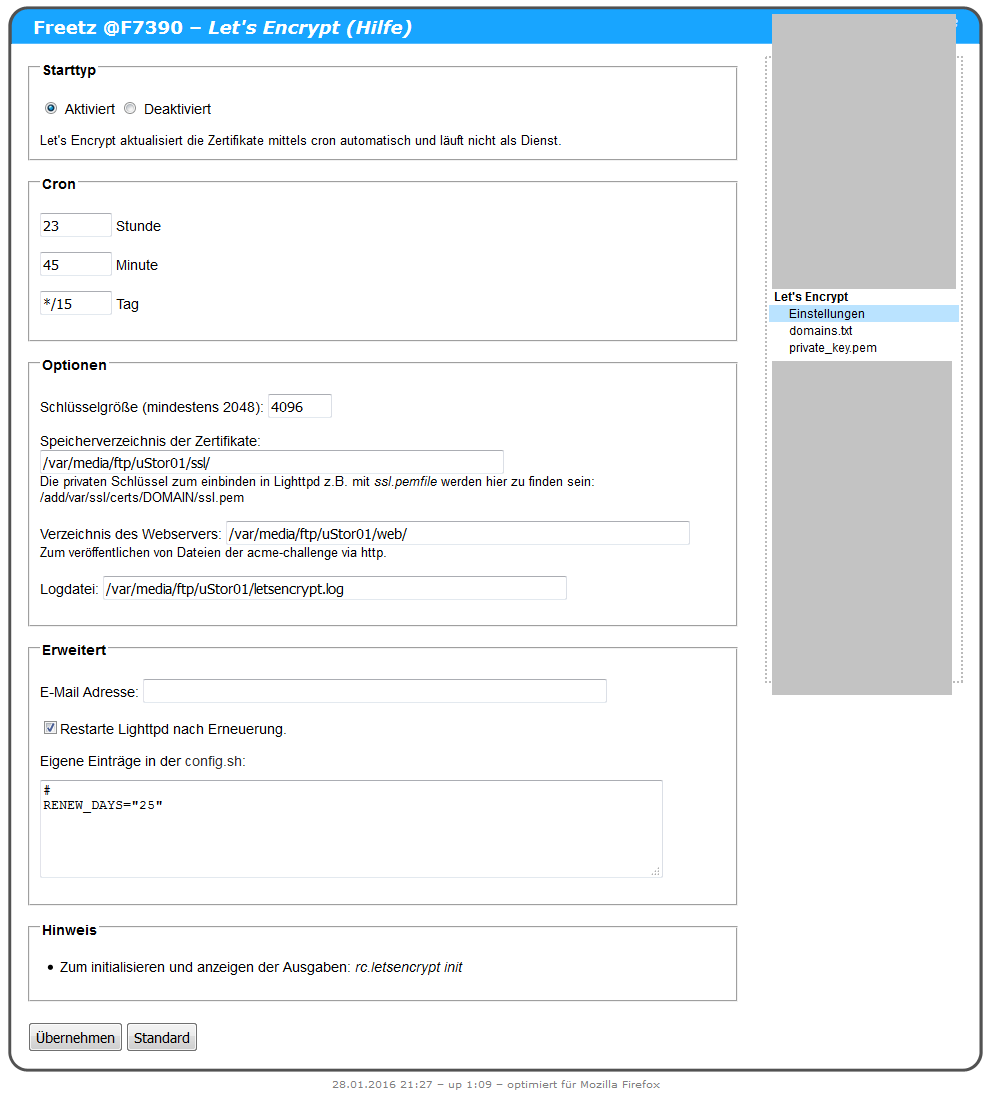
Creating a Certificate⚓︎
- Configure LigHTTPd so it is reachable from the internet under the DynDNS name via HTTP (check with the "webproxy" page).
- Fill in the Dehydrated "Options" accordingly (email is optional).
- Run
rc.dehydrated init. - Run the displayed command for one-time registration.
- Run
rc.dehydrated initagain.
Using the Certificate⚓︎
- In LigHTTPd under "advanced", enter an HTTPS vhost with the paths to the certificate.
- Or enter ssl.pem and fullchain.pem through the LigHTTPd WebIF.
- Even better, if only one domain is used, link the Dehydrated certificates like this: