OpenDD 0.7.9 - DEPRECATED⚓︎
- Homepage: https://www.bsdmon.com/wakka/OpenDD
- Package: master/make/pkgs/opendd/
- Steward: -
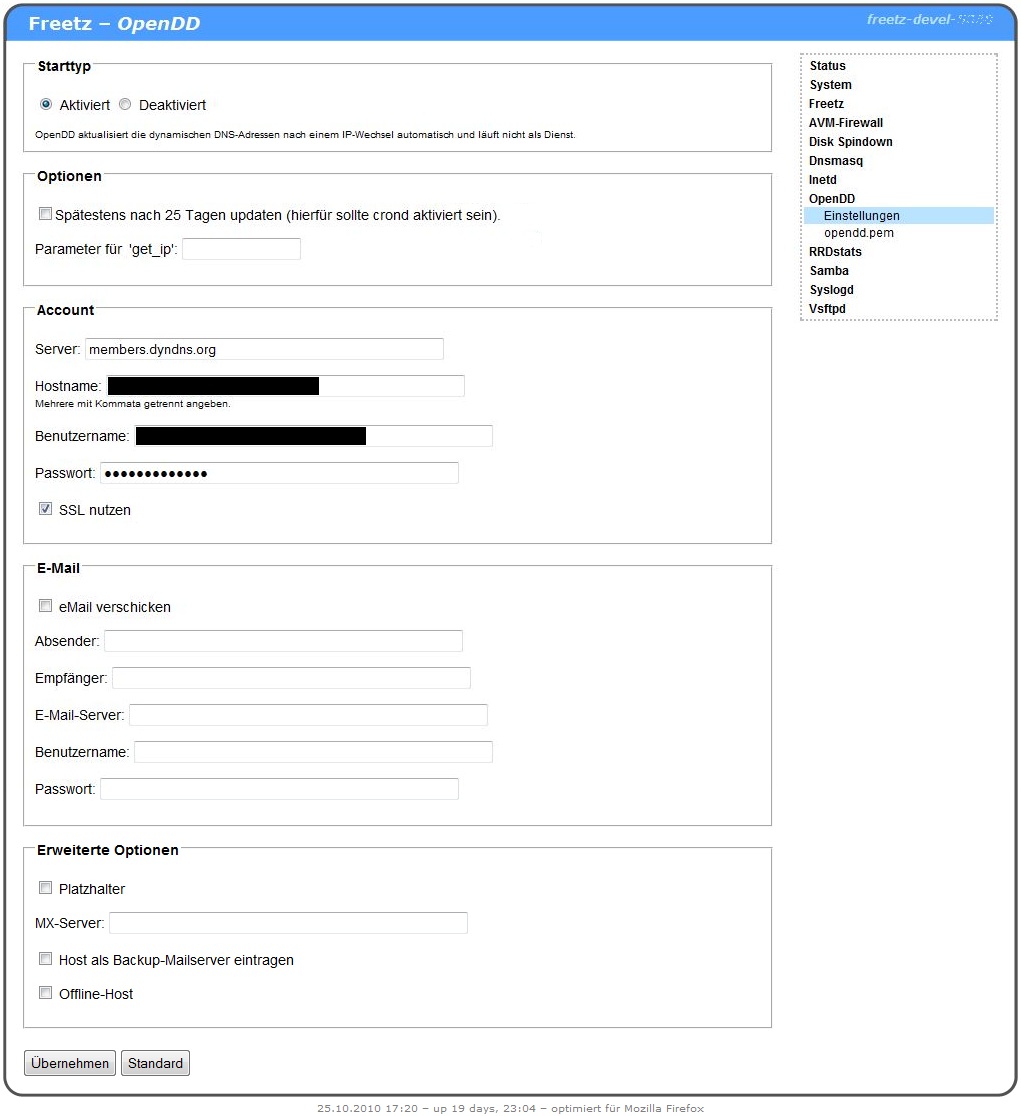
OpenDD is a client for updating dynamic DNS entries. The advantage over
inadyn is that OpenDD does not remain in memory
continuously, but is started only after a reconnect. It can send an email
when the IP changes. Output is sent via syslog.
Update After 25 Days⚓︎
This option should be selected if the IP does not change for a longer
time, as is common with cable internet providers. This prevents the host
name from being deactivated after one month. If the box is not restarted
for a longer time, also enable "cron" so the check takes place. The cron
entry is created automatically by OpenDD.
After such a forced update, the file
/tmp/flash/opendd/opendd.onforcedupdate is executed. This can be used,
for example, to run a script that logs in to the DynDNS website to
prevent the domain name from being blocked. However, this script must
also be executed by onlinechanged.
Example scripts:
http://forum.mbremer.de/viewtopic.php?f=62&t=1756&p=24340#p24340
get_ip Parameter⚓︎
This configures how the external IP is determined. Starting with trunk
version Changeset r7376, get_ip is configured in a
central place, so this option is no longer needed in
opendd.
Account⚓︎
The data for the DNS account is entered here:
Server Specification of the DNS provider used (for example Dyndns: members.dyndns.org)
Hostname The DNS name for which you registered (for example Musterman.heimnetz.org)
Username The account username
Password The account password
Use SSL If the account should be updated encrypted (port 443)
The SSL certificate can be found in the build environment under:
.../freetz-trunk/packages/target-mipsel_uClibc-0.9.29/opendd-0.7.9/root/etc/default.opendd/opendd.pem
E-Mail⚓︎
In this section, an email notification can be configured:
Send email This option activates/deactivates sending the status report
Sender Email address from which the report should be sent (for example Musterman@internet.de)
Recipient Email address to which the report should be sent (can be the same as the sender)
Email server Outgoing mail server of the sender account (for example for Freenet: mx.freenet.de)
Username Username of the sender account
Password Password of the sender account
Timeout How long to wait for a response from the email server (Freetz only, Ticket #2132)
max. attempts Maximum number of attempts to reach the email server (Freetz only, Ticket #2132)