Xrelayd 0.2.1pre2 - DEPRECATED⚓︎
- Package: master/make/pkgs/xrelayd/
- Steward: -
"xrelayd is the successor to matrixtunnel, a lightweight stunnel
replacement. Xrelayd is a basic tcp proxy server which enables you to
encrypt arbitrary protocols without changing ssl unaware deamons and
client software." xrelayd thread in the
OpenWRT-Forum
Although it is considered the successor to matrixtunnel, this project,
like matrixtunnel, has also become somewhat dormant since the end of
2007. xrelayd uses a different SSL library than matrixtunnel and is
not as compact. Its handling and syntax are similar to matrixtunnel.
Unlike matrixtunnel, xrelayd can also create self-signed
certificates, so
this can be done directly on the box. Such certificates are considered
corrupt by browsers such as Firefox 3, however, because they are "not
trusted" (with "trusted certificates", a
"Certificate
Authority"
such as Thawte or VeriSign vouches for them). AVM appears to use an
xrelayd-like solution for its HTTPS server. The self-signed certificates
newly created for AVM's HTTPS server on every reboot support this
assumption.
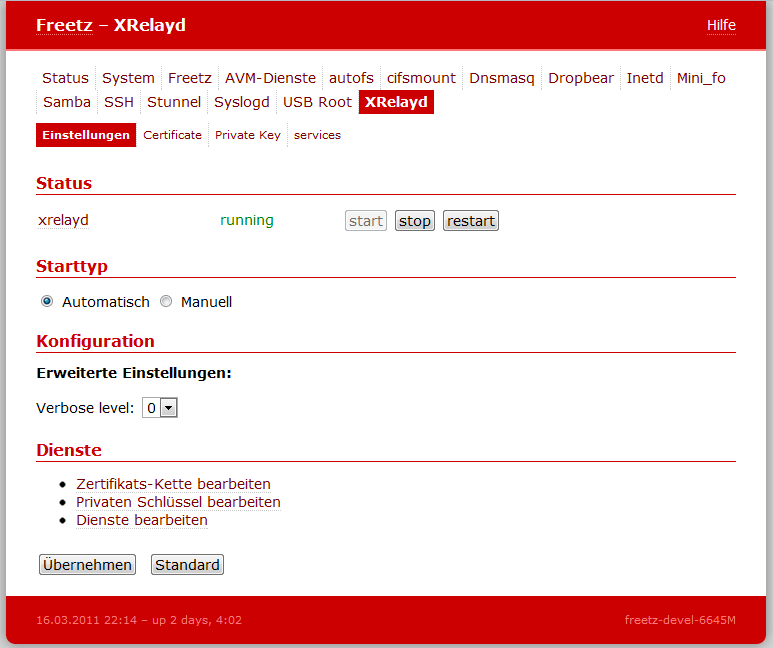
Since Freetz trunk Changeset r3571, a WebGUI is also available for this.
Configuration⚓︎
-
Generate the keys on the PC (under Linux):
-
Paste the keys into the web interface under Settings -> XRelayd:
Certificate/Private Key.
-
Add the desired services. For example:
-
Access internally via
https://fritz.box:4433.
For external access, a port forward still has to be entered.